Have you ever dreamed of a tool that could instantly transform your creative ideas into breathtaking visuals? Midjourney is just that—a cutting-edge AI platform that turns text descriptions into stunning, lifelike images within minutes. It’s rapidly gaining traction among artists, designers, and creative professionals for its ability to bring imagination to life.
In this guide, we’ll walk you through everything you need to know to get started with Midjourney—from creating an account to advanced tips and tricks that help you craft unique, eye-catching digital art.

What Is Midjourney?
Midjourney is a generative AI tool that creates art based on text prompts. Users simply enter short descriptions, and the AI generates detailed images based on that input. It stands among the most popular AI art generators today, alongside platforms like DALL-E and Stable Diffusion.
What sets Midjourney apart is its integration with Discord, which serves as the primary interface. Unlike some competitors, Midjourney doesn’t offer a free trial. Instead, users must purchase a subscription before using the tool. The entry-level plan starts at a reasonable $10/month.
Since launching in July 2022, Midjourney has become a hot topic in the world of creative AI, drawing interest from individuals, businesses, artists, and designers alike, thanks to its ability to produce highly realistic and imaginative artwork.
How to Create a Midjourney Account
Step 1: Create a Discord Account
Midjourney operates entirely through Discord, so you’ll need a Discord account to get started. If you don’t already have one, visit the Discord website and sign up—it’s free and easy.
Step 2: Join the Midjourney Beta
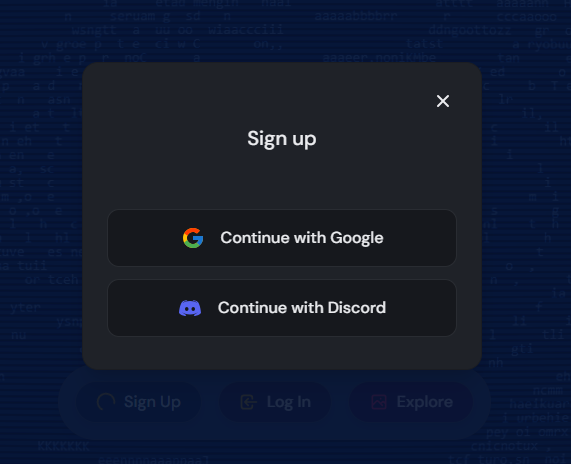
Once you’ve set up your Discord account, head to Midjourney’s official website and click “Sign Up.” Then choose “Continue with Discord.” This will open an invite to join the Midjourney Discord server—click “Authorize” to proceed.
Step 3: Subscribe to a Plan
To start generating images, you’ll need to subscribe to one of Midjourney’s paid tiers. Simply type /subscribe in any chat with the Midjourney Bot and hit Enter. You’ll be redirected to the subscription page where you can pick a plan that suits your needs.
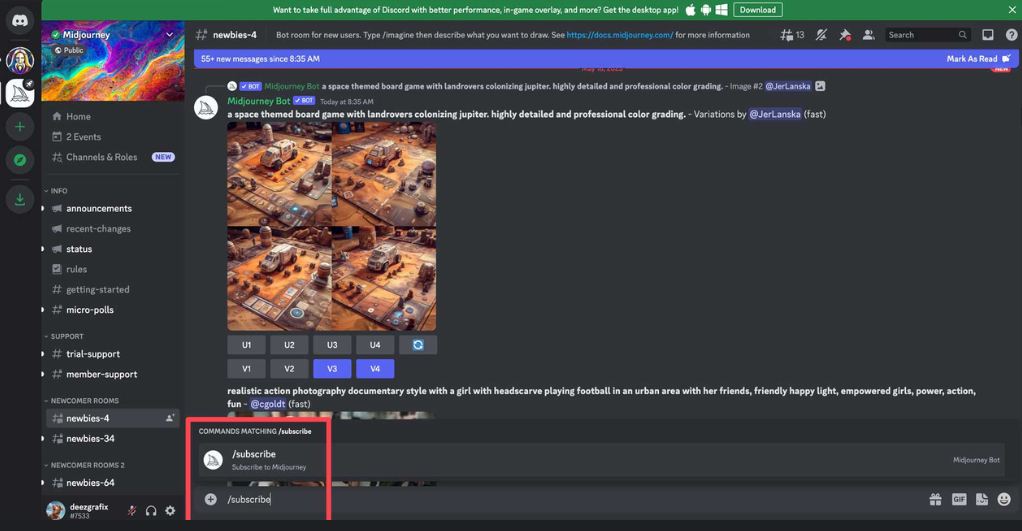
Midjourney offers three main plans:
- Basic ($10/month): Great for beginners, includes roughly 200 image generations and access to a private chat room.
- Standard ($30/month): Offers 15 hours of fast image generation and unlimited relaxed-mode use, plus a private room.
- Pro ($60/month): Designed for power users with 30 fast hours, unlimited relaxed generations, and private chat access.
Once your subscription is active, you’re ready to begin creating!
How to Use Midjourney to Generate Images
Quick Start
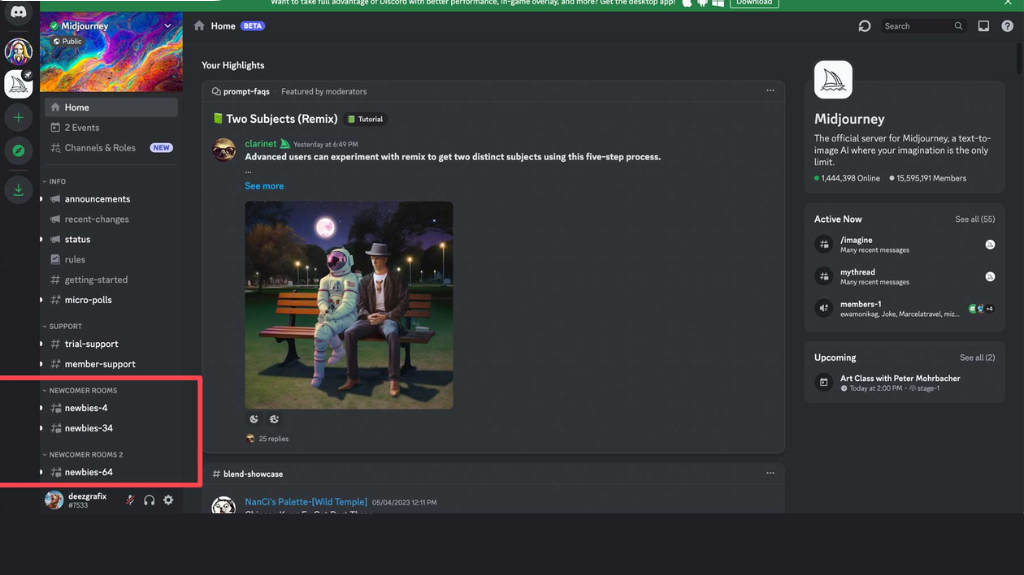
- Open Discord and Find the “Newbies” Channel
On desktop, you’ll see a list of channels on the left. Look for one labeled “Newbies.” On mobile, tap the Midjourney server icon at the top left, then scroll to find the channel.
- Use the
/imagineCommand
In the chat box, type/imagine prompt:followed by your image description in English. For example:/imagine prompt: a cat sitting on a chair
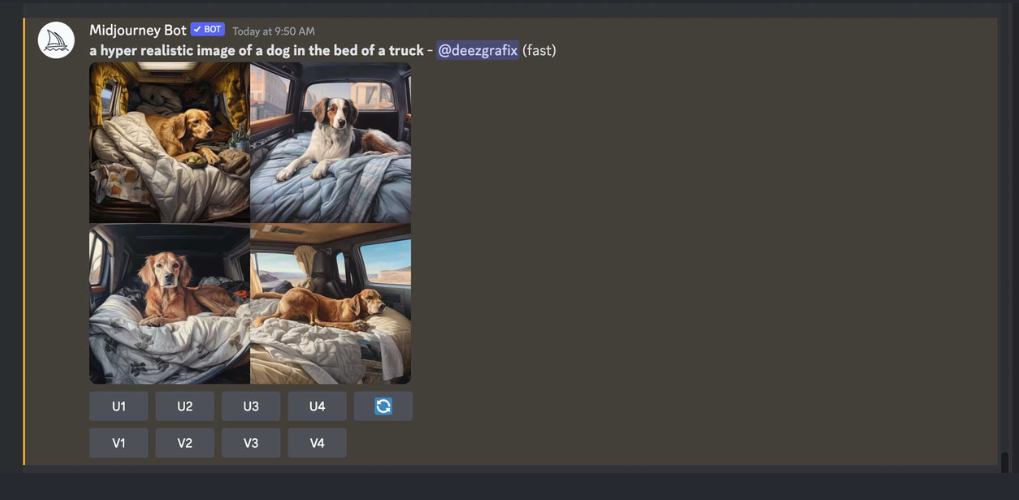
- Press Enter and Wait
Once submitted, Midjourney will take a moment to process your request and generate four image options based on your prompt. - Choose and Save Your Image
Click to enlarge your favorite image, then right-click and select “Save image” to download it.
Advanced Features
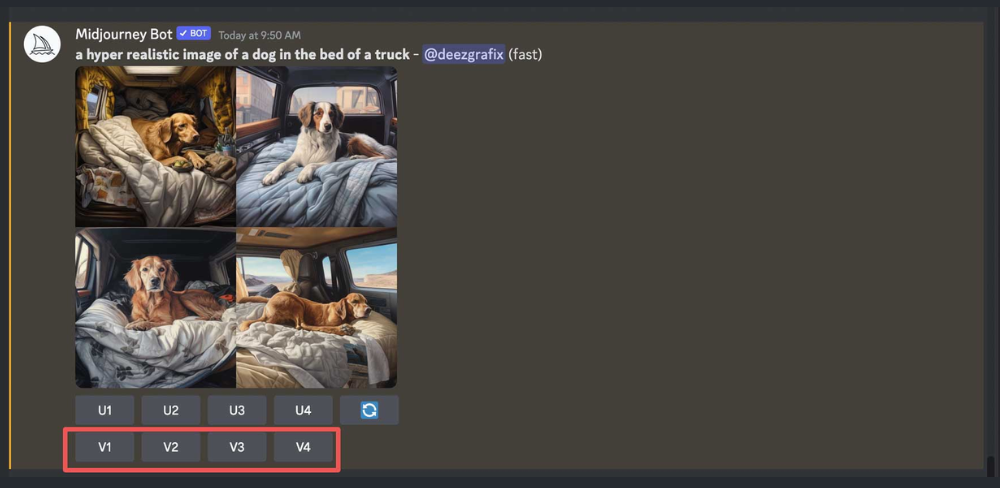
- Upscaling: Use buttons labeled
U1toU4to enlarge any of the four generated images.
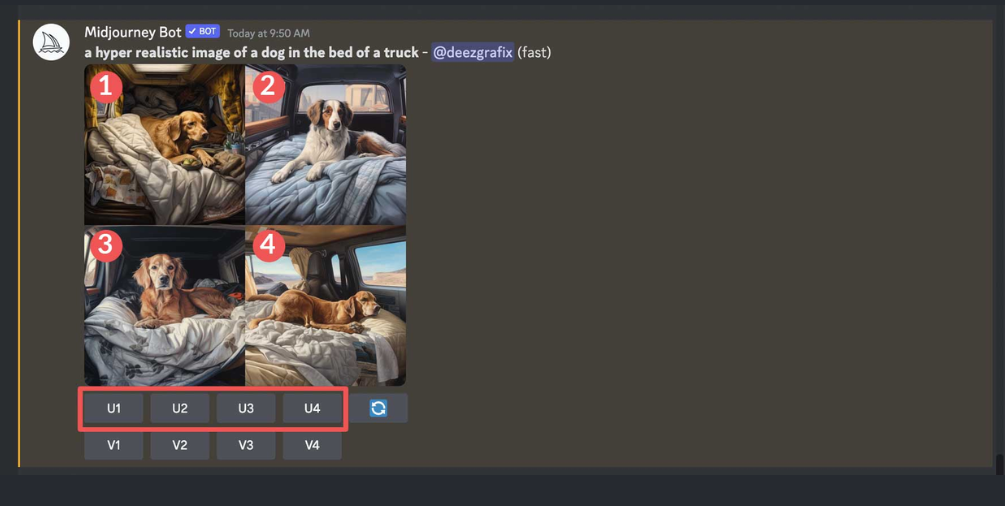
- Variations: Buttons labeled
V1toV4create new versions of the selected image.
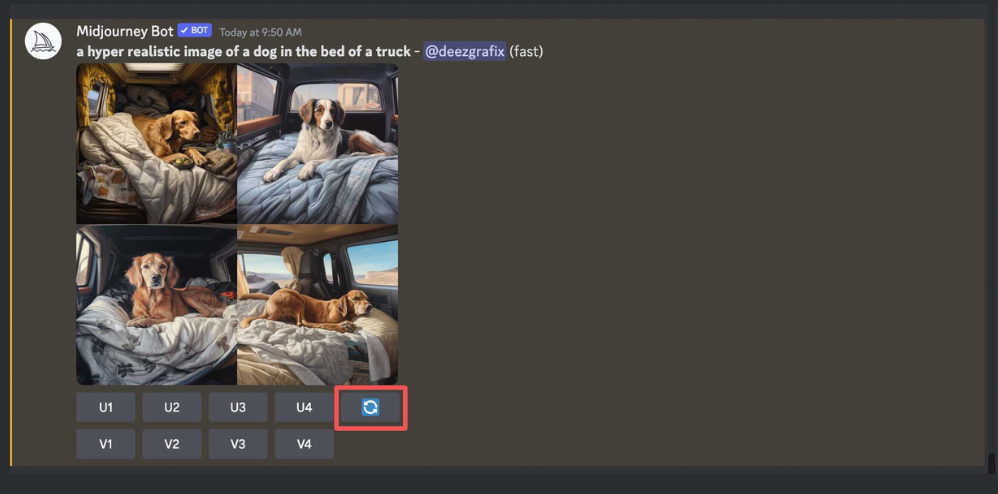
- Regenerate: If you’re not happy with the first batch, click “Regenerate” to try again with the same prompt.
- Customize Settings: You can fine-tune your results with additional parameters like
--ar(aspect ratio),--no(exclude elements),--style(art style), and more.
Useful Midjourney Commands
/imagine prompt:– The main command to generate images./info– Displays your account usage and plan details./help– Provides guidance on commands and features./subscribe– Opens the subscription page.
Popular Parameters for /imagine:
--ar(aspect ratio): Change image dimensions (e.g.,--ar 16:9for widescreen).--chaos: Controls result randomness (0–100).--no: Exclude specific items (e.g.,--no plants).--q(quality): Adjusts image quality and rendering time (values: 0.25, 0.5, 1, or 2).--seed: Generates consistent results with the same random seed.--stop: Stops image rendering early for a more abstract look.--style: Choose visual styles (e.g.,--style 4a,4b, or4c).--s(stylize): Sets how strongly Midjourney applies artistic styling.
Downsides of Midjourney
Despite its strengths, Midjourney has a few limitations:
- Discord-Only Access: Since Midjourney runs entirely on Discord, it may not appeal to those unfamiliar or uncomfortable with the platform. Relying on a third-party service also brings concerns about stability and security.
- No Free Trial: As of March 2023, Midjourney discontinued its free trial. Users now must purchase a subscription to access the tool—this might be a barrier for casual or budget-conscious users.
- Privacy Concerns: All prompts and generated images are visible to others in the same Discord channel. This can be a concern for users working on sensitive or personal projects.
Midjourney Pricing Summary
| Plan | Price (USD/month) | Image Limit | Features |
|---|---|---|---|
| Basic | $10 | ~200 images | Private chat room |
| Standard | $30 | Unlimited (Relaxed) | Private chat, faster image options |
| Pro | $60 | Unlimited (Relaxed) | Unlimited fast mode, private chat |
Final Thoughts
Midjourney is a powerful tool for turning simple text prompts into visually stunning works of art. As AI continues to evolve, platforms like Midjourney are redefining how we think about creativity and artistic expression.
Whether you’re an artist, designer, or just someone curious about AI-generated art, Midjourney offers an exciting and inspiring way to explore your imagination. Try it out and see where your creativity can take you!