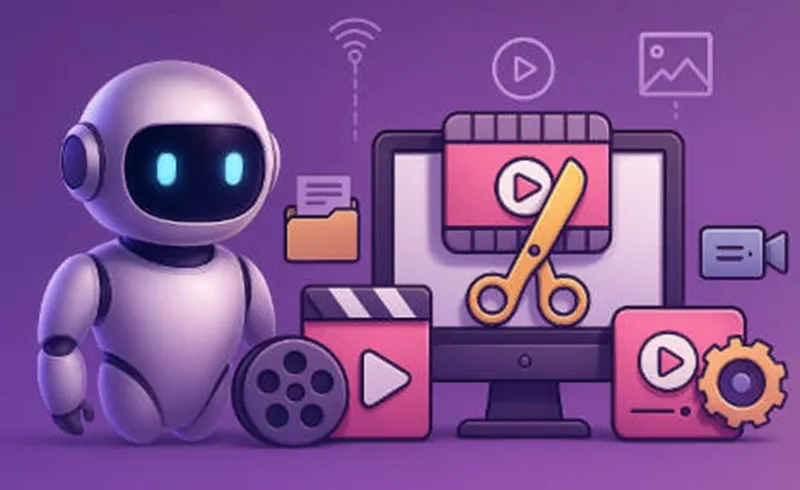
Today, thanks to AI technology, we can create high-quality videos with realistic audio and natural-sounding dialogue. You can generate a full video from just a text description, from a starting and ending frame, or even from multiple reference images.
MiniToolAI offers a simple, user-friendly tool called Video Generator, powered by Google’s most advanced VEO model. In this guide, I’ll walk you through how to use it step by step in the easiest way possible.
Preparation Before Using the Tool
Before getting started, here are a few quick steps:
- Sign in to MiniToolAI
If you don’t have an account yet, you can log in using your Google account here:
https://minitoolai.com/login.php - Add credits to your account
Go to the Top-up page: https://minitoolai.com/deposit.php
Or click the “Top up” button at the top of the homepage.
Each video costs from just $1, and the fee will be automatically deducted from your credit balance. - Open the Video Generator tool
From the homepage, select Video Generator to start creating your AI video.

How to Create Videos with AI
There are 3 modes you can choose from:
- Text to Video
- Image to Video
- Reference Image to Video
Create Video from Text (Text to Video)
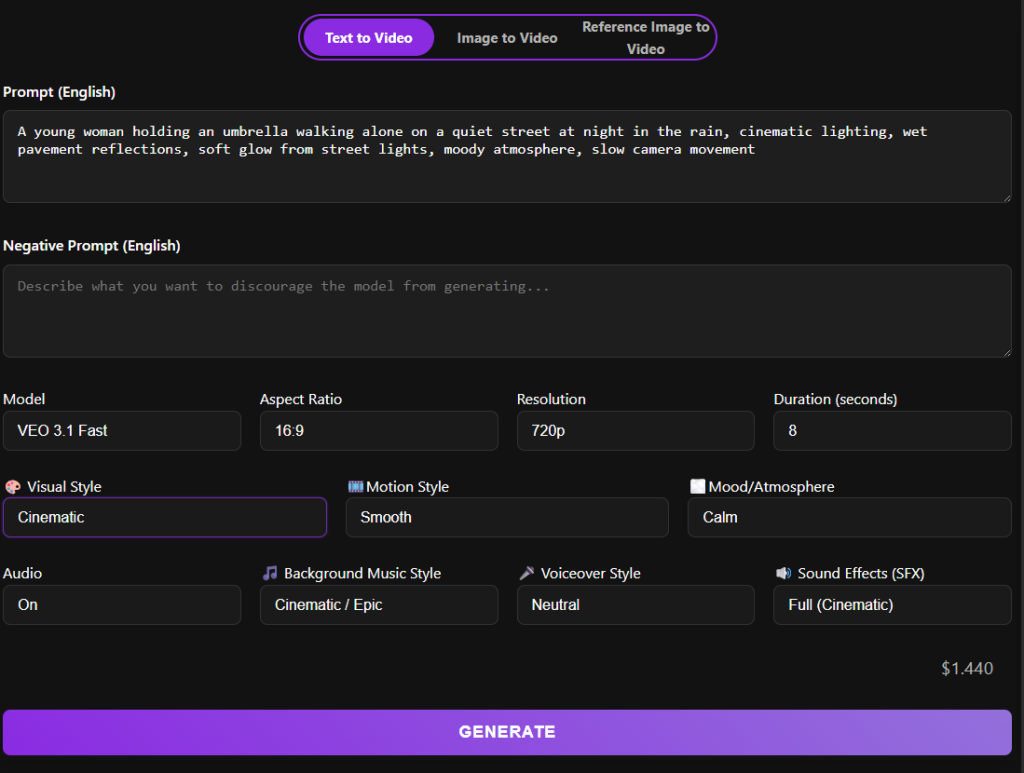
Start by entering a prompt — a detailed description of the video you want — in the Prompt (English) field.
Important note:
The AI model works best with English prompts. However, character dialogue can be written in its original language.
Example:
A reporter says: “Voici le programme des prévisions météorologiques.”
In this case, the generated video will keep the dialogue in French exactly as written.
Customization options include:
- Model
- Aspect ratio
- Resolution
- Duration
- Visual style
- Motion style
- Mood / atmosphere
- Audio settings (you can turn sound off by selecting “Audio: Off”)
Finally, click Generate and wait about 1 minute to receive your video.
Example (Text to Video):
Prompt: A young woman holding an umbrella walking alone on a quiet street at night in the rain, cinematic lighting, wet pavement reflections, soft glow from street lights, moody atmosphere, slow camera movement.
Create Video from Image (Image to Video)
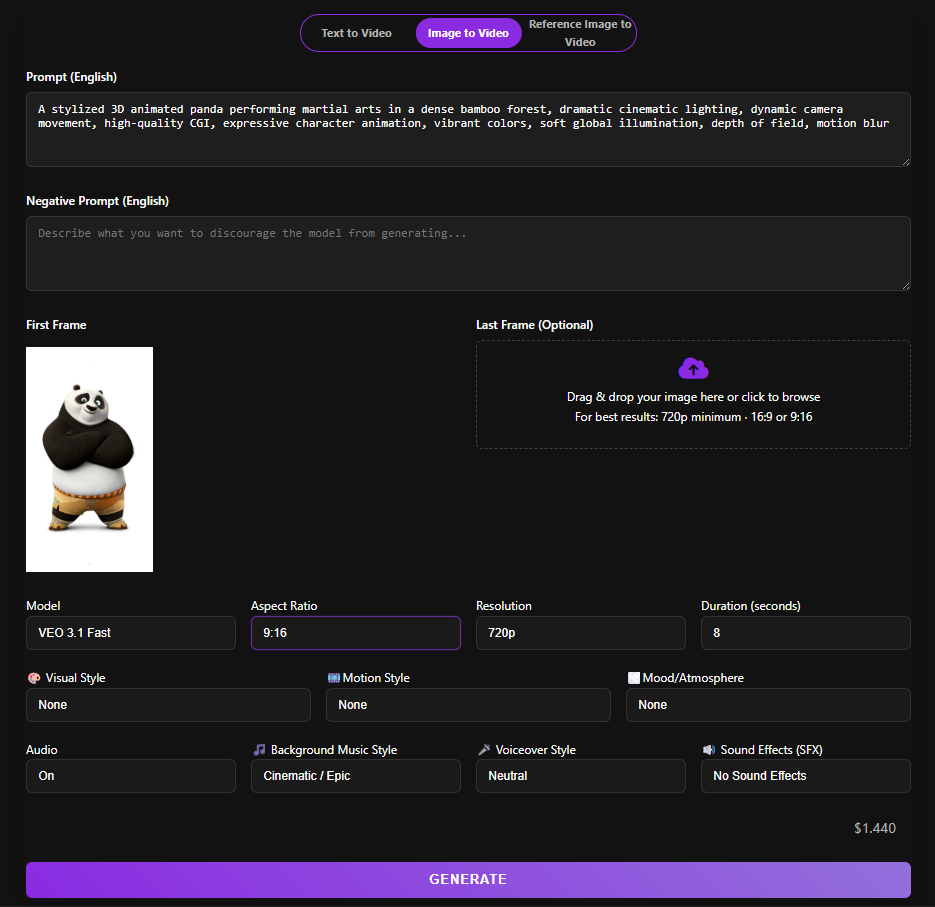
This mode is similar to Text to Video, but with images involved.
- You must still enter a prompt
- Upload at least one image as the First Frame
- The Last Frame is optional
This allows the AI to animate your image into a dynamic video.
Example (Image to Video):
Prompt: A stylized 3D animated panda performing martial arts in a dense bamboo forest, dramatic cinematic lighting, dynamic camera movement, high-quality CGI, expressive character animation, vibrant colors, soft global illumination, depth of field, motion blur.
Create Video from Reference Images (Reference Image to Video)
This mode works a bit differently:
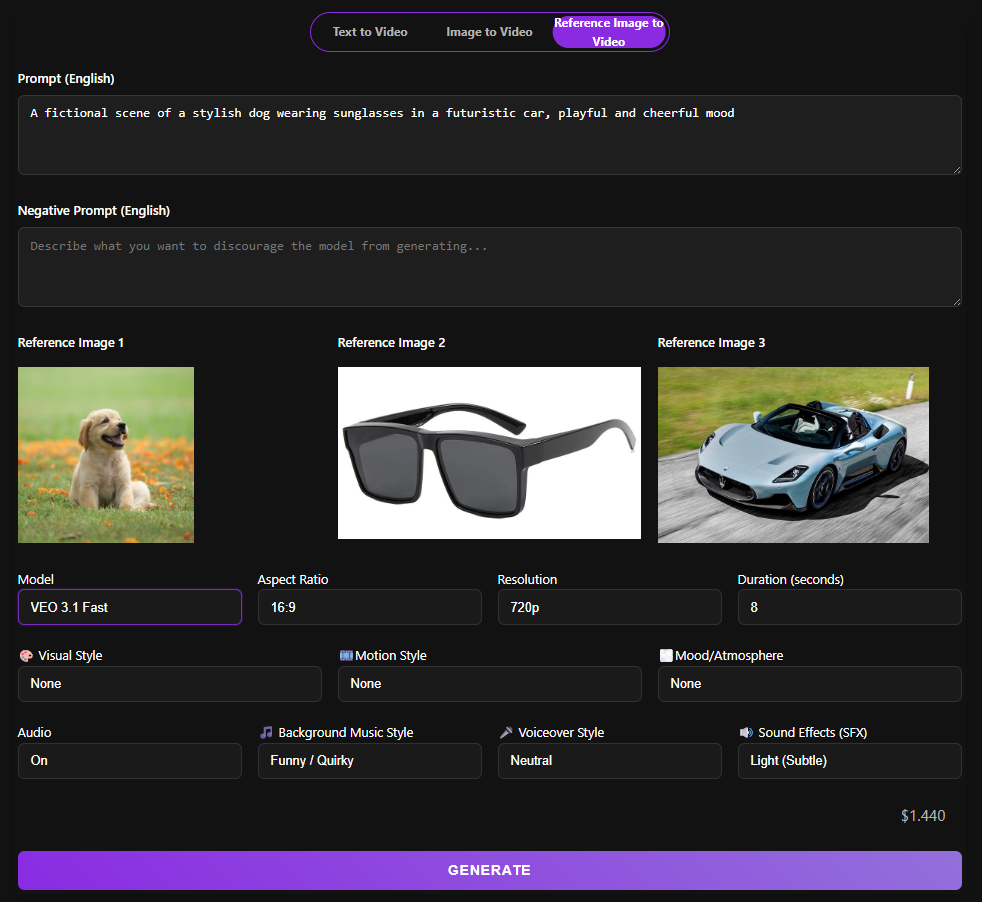
- You can upload up to 3 reference images
- The AI will use these images as inspiration to generate a video that reflects their content or style
Unlike Image to Video, these images are not strictly the first or last frames, but rather visual references for the entire video.
Example (Reference Image to Video):
Prompt: A fictional scene of a stylish dog wearing sunglasses in a futuristic car, playful and cheerful mood.
Important Notes When Creating AI Videos
AI Safety Filtering System
When using advanced models like Google VEO, you may encounter errors such as:
“rai_media_filtered_count”
This happens because of the RAI (Responsible AI) safety system, which filters out prompts that may contain:
- NSFW content
- Dangerous or unrealistic situations
- Misleading or harmful scenarios
Example:
- Original prompt:
“A cool dog wearing sunglasses drives a supercar with cheerful music.” This prompt may seem normal, but it contains unsafe content, namely, a dog driving a car, so it is still filtered by RAI (Responsible AI). - Let’s revise it to:
- “A fictional scene of a stylish dog wearing sunglasses in a futuristic car, playful and cheerful mood“
- “A cartoon dog wearing sunglasses sitting in a supercar, cheerful atmosphere, vibrant colors, animated style“
Always make your prompt clearly fictional, animated, or stylized if it involves unusual scenarios.
Copyright Limitations
The model may block content that violates copyright, such as:
- Famous characters
- Branded visuals
- Protected media content
Limitations with Human Subjects
AI models may restrict generating videos that include:
- Celebrities
- Real individuals without consent
- Sensitive or personal imagery
Applications of AI Video Generators (Real-World Use Cases)
AI video generators are transforming how individuals and businesses create visual content. From marketing to education, these tools help save time, reduce costs, and unlock creative possibilities. Below are some of the most effective and practical use cases:
E-commerce Sellers
AI video generators allow online sellers to quickly create engaging product ads without expensive production. By combining a model image and product images using the reference image to video feature, you can generate realistic promotional videos that boost conversions and showcase your products more effectively.
Content Creators
For creators on platforms like TikTok, YouTube Shorts, and Instagram Reels, AI video tools make it easy to produce short-form videos at scale. You can turn simple ideas or scripts into eye-catching videos in minutes, helping you stay consistent and grow your audience faster.
Digital Marketers
Marketers can rapidly create promotional videos, ad creatives, and branded content without the need for filming or editing teams. This is especially useful for testing multiple campaigns, running ads, and optimizing content performance with minimal cost.
Educators & Online Trainers
AI-generated videos are a powerful way to create visual lessons, explainer videos, and storytelling content. Teachers and course creators can turn written material into engaging videos that improve understanding and retention.
Designers & Storytellers
Creative professionals can use AI video generators to bring ideas to life, from concept visuals to cinematic storytelling. Whether you’re prototyping a scene or building a narrative, AI helps you visualize concepts without expensive software or production resources.
Conclusion
In this guide, we explored how to easily create AI-generated videos using the Video Generator tool on MiniToolAI, along with its powerful features and practical use cases.
AI video creation is becoming more accessible than ever, and with tools like this, anyone can turn ideas into engaging visual content in just minutes.
Hope you found this helpful!