Surface Pro 12 (2025) Bright Platinum Review – Ultra-Thin 2-in-1 with Windows 11 AI+ and Snapdragon X Plus
On July 15, 2025, Microsoft introduced two brand-new Windows 11 AI+ PCs: the Surface Laptop 13-inch and the Surface Pro 12-inch. The latest Surface Pro 12 comes in a sleek Bright Platinum finish and is powered by the Qualcomm Snapdragon X Plus chip.
As someone who often works on the go, I was immediately drawn to its ultra-thin 2-in-1 design, light weight, and the promise of all-day battery life. Add in full Windows 11 AI+ features and powerful performance, and it seems like Microsoft is positioning this device as the ultimate mobile office companion.
In this review, I’ll share my hands-on experience with the Surface Pro 12 (2025) to see whether it truly lives up to its promise as the best device for mobile productivity.
Surface Pro 12 (2025) Detailed Review
In this in-depth review, I’ll cover all the essential aspects of the Surface Pro 12 (2025):
- Design & portability
- Keyboard and touchpad experience
- Display quality
- Performance with Snapdragon X Plus
- Thermals and battery life
By looking closely at these factors, we can decide if the Surface Pro 12 is the right choice for professionals who need a reliable work-anywhere laptop-tablet hybrid.
Surface Pro 12 Design: Slim 2-in-1 Built for Mobility
The Surface Pro 12 (2025) continues Microsoft’s signature 2-in-1 design—a device that works as both a tablet and a laptop when paired with the detachable keyboard.
At just 7.6mm thin and weighing 686.8g, it’s incredibly easy to carry around, making it perfect for commuters, business travelers, and anyone who needs lightweight portability.
The front features a 12-inch display with a resolution of 2,196 x 1,464 pixels. The bezels are even and symmetrical, giving a clean and balanced viewing experience. The chassis is crafted from anodized aluminum, with smooth curves blending the back into the frame—both sturdy and elegant.
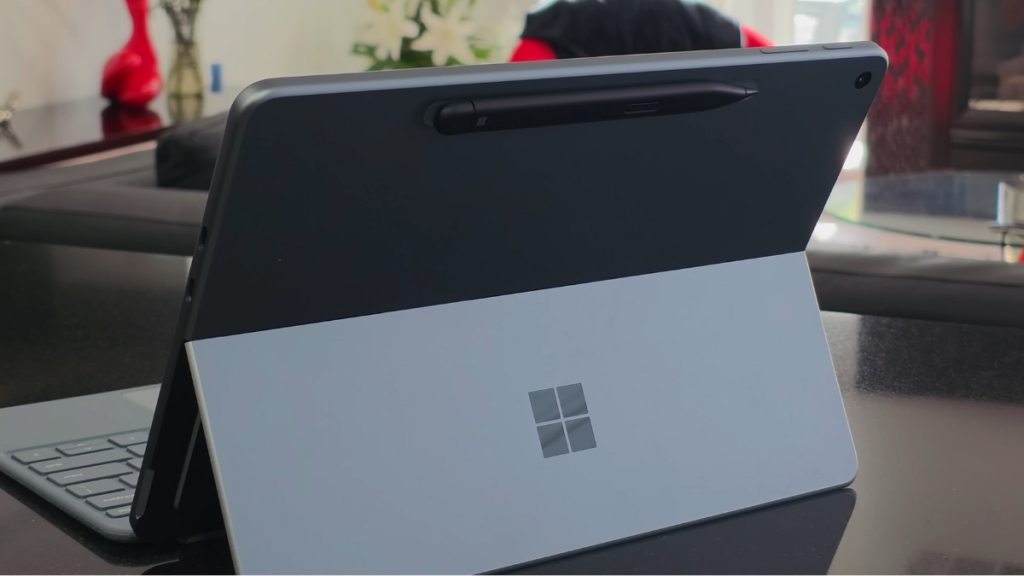
On the back, Microsoft keeps things minimal with its glossy logo and a refined matte finish for a subtle premium touch. The rear also houses an Ultra HD 10MP camera and a magnetic strip for the Surface Slim Pen.
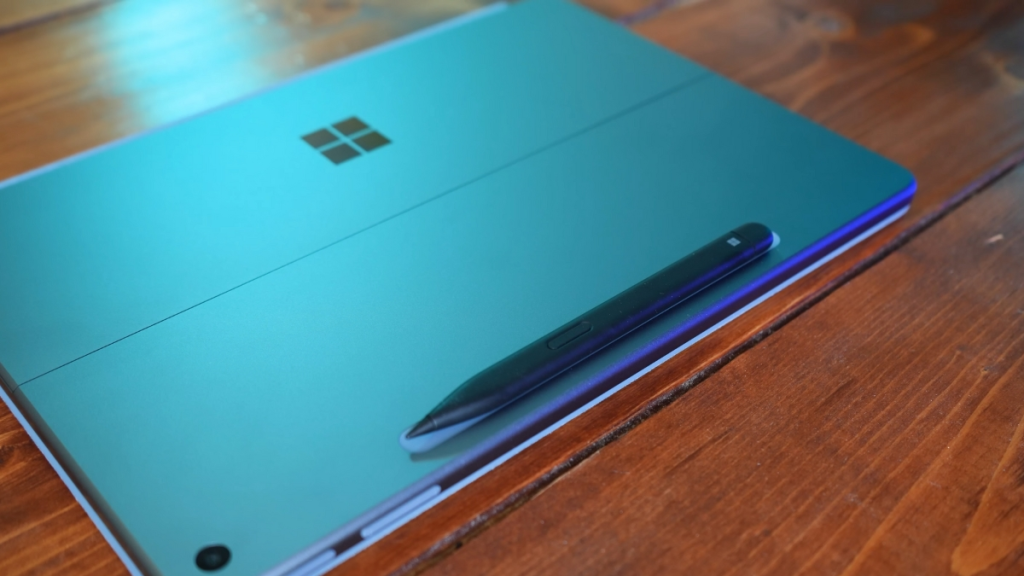
Buttons and ports are placed with usability in mind:
- Power button & volume rocker sit neatly along the edges
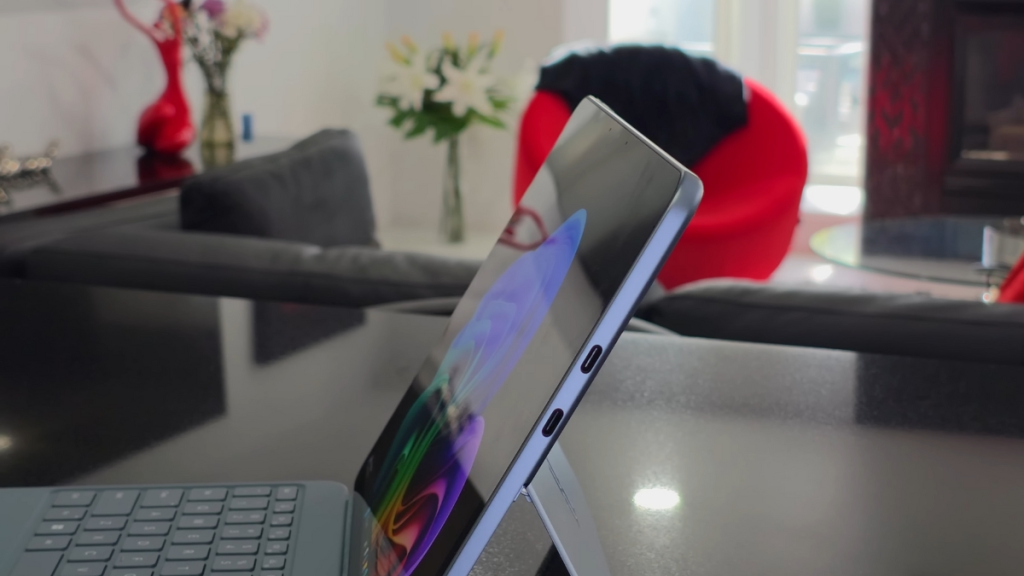
- Two USB-C / USB 3.2 ports provide modern connectivity
- The bottom edge has pogo pins for the detachable keyboard
The left side is intentionally clean with no buttons, keeping the overall design uncluttered.
Of course, the kickstand remains a signature highlight. It supports up to 165° tilt, letting me position the Surface Pro 12 at just the right angle—whether I’m typing, sketching, or presenting. This flexibility is what makes the device shine in mobile work setups.
Surface Pro 12 (2025) – Keyboard, Touchpad, and Accessories
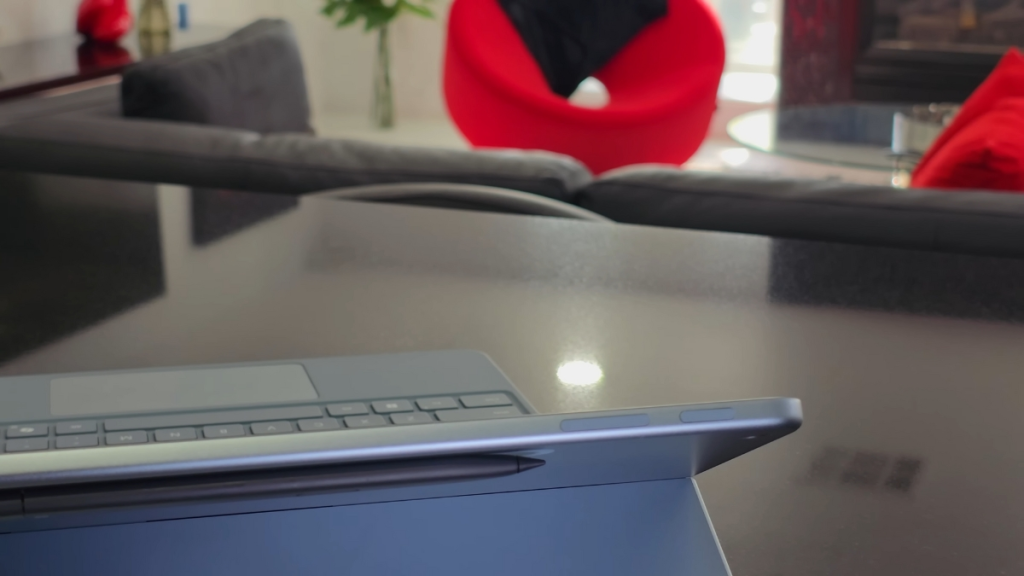
One of the highlights of the Surface Pro 12 (2025) is its redesigned detachable keyboard. Microsoft has refined it with a smooth matte palm rest and a dynamic hinge that attaches seamlessly to the device. The hinge flexes up to 360°, giving me the freedom to adjust the typing angle for maximum comfort.
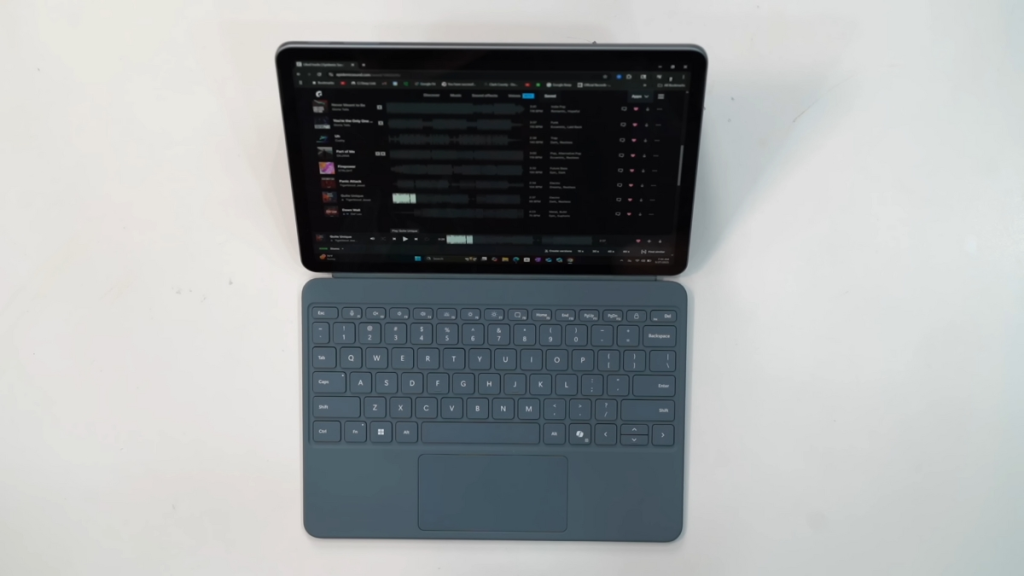
The full-size keyboard includes backlit keys for working in low-light environments and delivers a quiet, stable typing experience when laid flat on a surface. The precision touchpad is responsive and intelligently adjusts sensitivity, making navigation smooth and intuitive.
The package also includes the ultra-slim Surface Pen, which magnetically attaches to the back of the tablet for charging and secure storage. I love this design—it keeps the pen always within reach without worrying about losing it.
It’s worth noting that Microsoft doesn’t include a power adapter in the box—just a USB-C charging cable. For faster charging, I recommend purchasing the official 45W USB-C adapter, which makes the experience much more convenient.
Overall, the Surface Pro 12 retains the clean, professional aesthetic of the Surface lineup. With premium build quality and elegant design, it feels equally at home in an office, a coffee shop, or on the go.
Surface Pro 12 (2025) – Display Quality
The 12-inch display on the Surface Pro 12 (2025) features a resolution of 2,196 x 1,464 pixels, producing sharp, detailed, and vibrant visuals. While the bezels are slightly thicker than what you’d find on some competitors, they are uniform on all four sides, giving the screen a balanced and pleasing look.
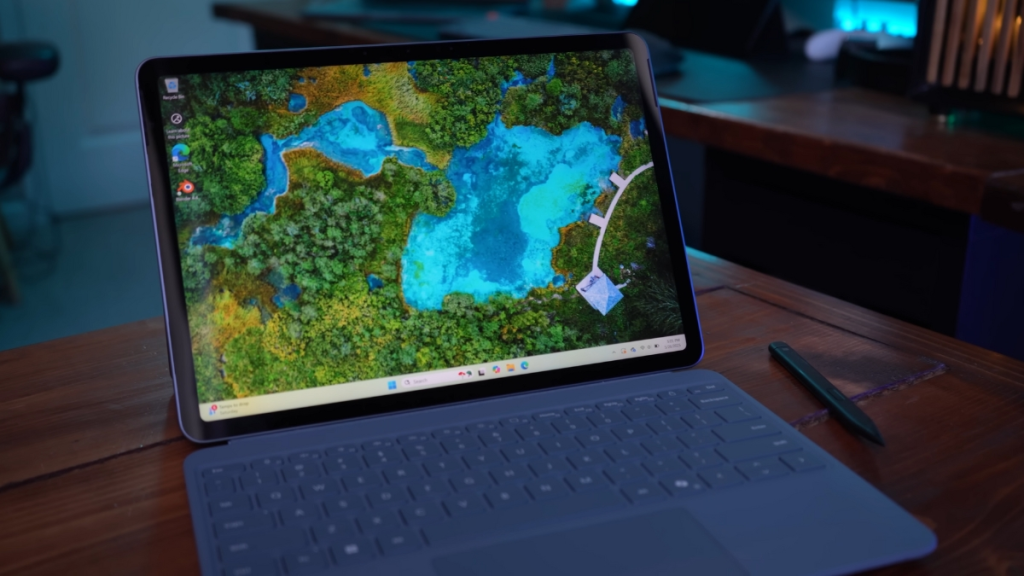
Colors appear natural and lively, and the brightness is strong enough to handle different lighting conditions—even when working by a window or outdoors. Whether I’m editing documents, streaming videos, or browsing the web, the display delivers a smooth, crisp viewing experience without washed-out tones or blurred details.
The balanced screen ratio also improves usability for touch interactions, digital drawing, and note-taking with the Surface Pen. For me, this makes the Surface Pro 12 more than just a productivity tool—it’s also a versatile device for study, design, and entertainment.
With this display, the Surface Pro 12 proves itself as a premium 2-in-1 device that blends both practicality and high-quality visuals.
Surface Pro 12 (2025) – CPU, GPU, and Real-World Performance
The Surface Pro 12 (2025) is powered by the Qualcomm Snapdragon X Plus platform, featuring 8 cores clocked at 3.24GHz base and up to 3.4GHz boost, paired with 30MB cache. On the graphics side, the Qualcomm Adreno GPU delivers 1.7 TFLOPS, supported by a 45 TOPS NPU for AI acceleration and LPDDR5x RAM running at 8,448 MT/s.
On paper, this combination is designed to handle office tasks, multitasking, and light entertainment with ease—and in my real-world usage, that’s exactly what it delivers.
Benchmark Results
To measure performance, I ran several popular benchmarks, and here’s how the Surface Pro 12 scored:
- CPU-Z: 453.3 single-core / 3,612.6 multi-core
- CineBench R23: 1,097 single-core / 5,463 multi-core
- CineBench 2024 (Arm64): 107 single-core / 485 multi-core
- GeekBench 6: 2,410 single-core / 11,194 multi-core
- 3DMark CPU Profile: 822 single-core / 4,433 multi-core
These results show solid, consistent performance in both single-threaded and multi-threaded tasks, making the Surface Pro 12 well-suited for productivity apps like Microsoft Office, video calls, and web browsing.
GPU Performance
For graphics, the Adreno GPU performs reliably in light and mid-range workloads:
- 3DMark Steel Nomad Light: 1,090 points (8.08 FPS average)
- 3DMark Wild Life: 11,627 points (69.63 FPS average)
- 3DMark Solar Bay (Ray Tracing): 6,049 points (23 FPS average)
These results confirm that the GPU handles basic graphics and casual workloads smoothly, though it’s not designed for AAA gaming or heavy 3D rendering.
Memory and Storage
The RAM performance is impressive, with read speeds of 121.32 GB/s, write speeds of 48,505 MB/s, copy speeds of 62,474 MB/s, and latency as low as 7.2 ns. This ensures fast multitasking and smooth workflow transitions.
Storage is handled by a 512GB UFS drive, which achieves 3,817 MB/s read and 3,472 MB/s write speeds—plenty fast for app launches, file transfers, and backups.
Gaming Test
To push the system further, I tested CS2 at 1920×1,280 resolution with the lowest settings. The average frame rate was 46 FPS, but there were occasional frame drops and stutters. Clearly, the Surface Pro 12 isn’t a gaming laptop—but that’s not its purpose.
Real-World Takeaway
In everyday use, the Surface Pro 12 (2025) strikes the right balance:
- Perfect for office work, study, video streaming, and light creative tasks
- Not built for heavy gaming or demanding 3D workloads
Overall, the performance reflects Microsoft’s design philosophy: a thin, lightweight 2-in-1 that delivers just the right amount of power for mobile professionals without compromising portability.
Surface Pro 12 (2025) – Long Battery Life and Cool Temperatures
The Surface Pro 12 (2025) is equipped with a 38Wh battery, and Microsoft claims up to 16 hours of offline video playback. In my real-world test, I played a 1080p movie for 2 hours at 50% brightness, 30% volume, with Wi-Fi, Bluetooth, and Preview features turned off, using the “Best Power Efficiency” performance mode.
After 2 hours, the battery dropped by only 10%, which suggests real-world usage could actually exceed Microsoft’s claim. That’s incredibly impressive for such a thin and lightweight 2-in-1 device.
When it comes to thermals, the Surface Pro 12 runs cool and stable during light tasks like browsing, editing documents, or watching videos. Thanks to its smart cooling design, it maintains consistent performance without generating uncomfortable heat—ideal for holding it in tablet mode or working on the go.
In short, the Surface Pro 12 delivers excellent battery life and reliable temperature control, making it well-suited for everyday mobile productivity, whether that’s streaming, working, or studying.
Surface Slim Pen 2 – A Creative Companion
Alongside the main features, the Surface Pro 12 (2025) shines with the Surface Slim Pen 2, a must-have accessory for students, artists, or professionals who frequently take notes and sketch ideas.
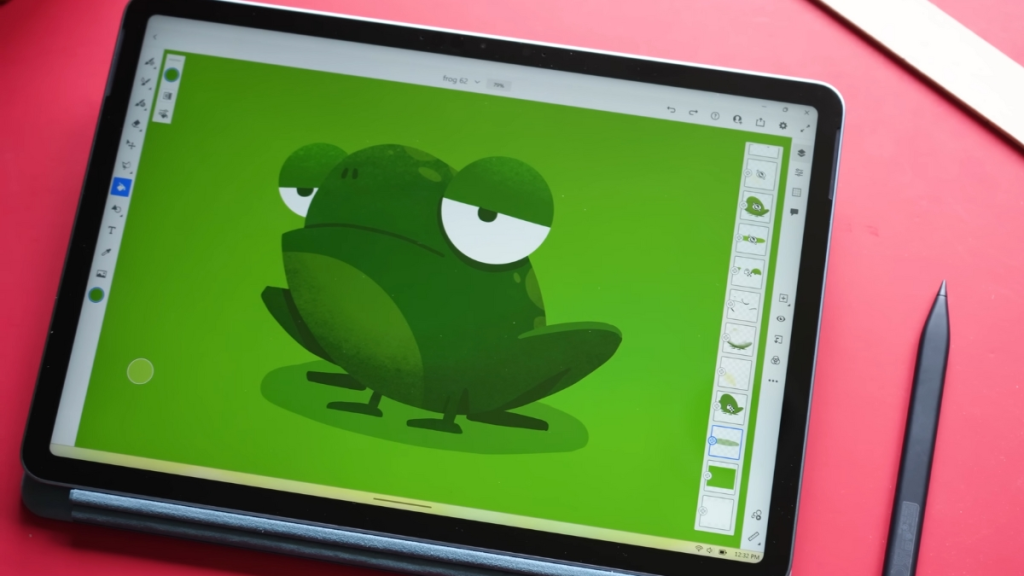
In my hands-on use with Microsoft Journal, writing and drawing felt smooth and natural, with minimal latency that almost mimicked pen-on-paper. The only slight drawback is that the pen tip feels a bit slippery on the glass, but that can be adjusted by tweaking pressure sensitivity in the Surface app or within Windows Ink settings.
Overall, the Slim Pen 2 elevates the Surface Pro 12 experience, especially for note-taking, quick sketches, or light creative work.
Should You Buy the Surface Pro 12 (2025)?
The Surface Pro 12 (2025) is best suited for users who need a thin, portable 2-in-1 device for:
- Writing and editing documents
- Online meetings and video calls
- Light creative tasks like sketching or photo editing
- Daily productivity on the move
The Snapdragon X Plus chip handles these workloads smoothly, and the addition of on-device AI acceleration makes routine office tasks feel quicker and more efficient.
Software compatibility is also solid: x86 apps via emulation run decently, while native Arm64 apps perform even better. With the 38Wh battery, I comfortably got a full day of typical use, making it a reliable travel-friendly device.
That said, if you’re looking for high-end performance or plan to play heavy PC games, the Surface Pro 12 won’t be your best option—other laptops in the same price range are better suited for that.
Final Verdict
If your priority is mobility, battery life, and a premium 2-in-1 design for productivity and light creative work, the Surface Pro 12 (2025) is absolutely worth considering. But if you need raw power for gaming or professional-grade software, you’ll want to look elsewhere.