One of the most common questions I hear is, “How much does Canva Pro cost?” This is especially true for anyone who enjoys designing, whether for personal projects or work. When you upgrade to Canva Pro, you unlock a set of powerful tools that make the design process more professional and efficient. So, is Canva Pro worth it? How does it compare to the free version? Let’s break it down together in this post.
What is Canva Pro and How It’s Structured
Canva Pro is the premium plan of Canva, designed to give users advanced tools and resources that go far beyond what the free version offers. With Canva Pro, you gain access to a massive content library, professional-grade design tools, and collaboration features that help individuals or teams create high-quality visuals with ease.
There are two main Canva Pro plans:
- Individual plan: Perfect for solo users, giving you full access to advanced features, premium resources, and powerful design tools.
- Team plan: Designed for groups, this option makes it easy to collaborate, share assets, and manage projects under one account.
Canva Pro Pricing
Many people wonder, “How much does Canva Pro cost per year?” or even if there’s a lifetime option. To clear things up, Canva Pro only offers monthly and yearly subscriptions—there is no lifetime package. Below is the official pricing converted into USD for easier reference:
- Individual plan
• $15 per month
• $120 per year - Team plan
• $10 / month per person
• $100 / month per person

As you can see, subscribing annually or choosing the team plan helps you save more compared to paying month-to-month. It’s a smart choice if you know you’ll be using Canva regularly.
How to use Canva?
You can use it online at canva.com — it’s easy to sign up with your Google account.
Or you can download the Canva app for your PC (available for Windows, macOS, and Chromebook).
Is Canva Pro Worth the Investment? Key Benefits You’ll Get
Aside from asking how much Canva Pro costs per year or whether there’s a lifetime option, many people also want to know what real benefits come with the Pro plan. Let’s walk through some of Canva Pro’s best features so you can decide if it’s worth your investment.
Access to a Massive Content Library
Another major difference between Canva Pro and Canva Free lies in the library of templates and design resources you can access. With the free plan, users get thousands of ready-made templates for different types of projects such as social media posts, posters, presentations, and more. You also have access to a limited selection of free photos, icons, stickers, and graphics provided by Canva.
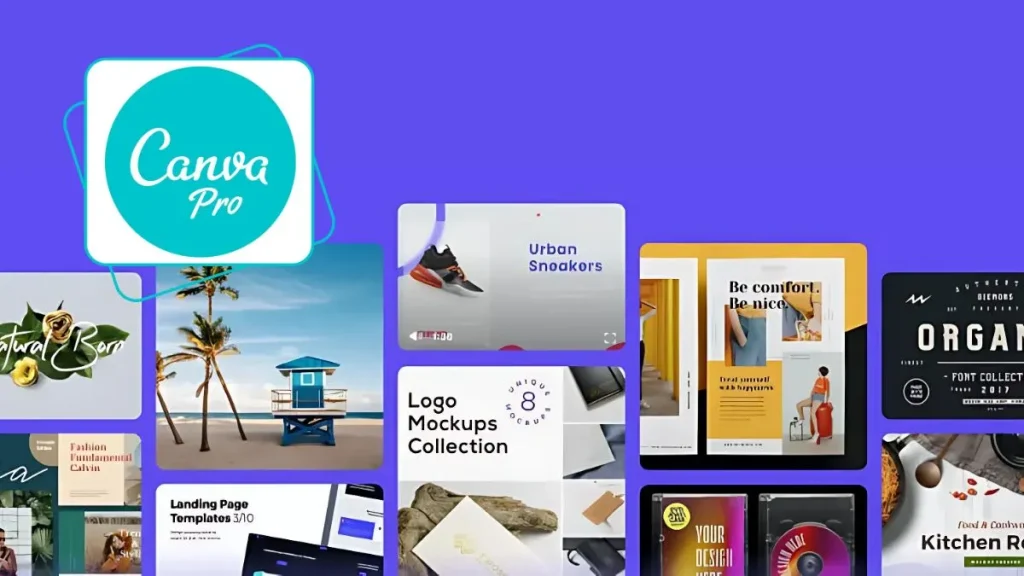
Canva Pro, however, takes things to a whole new level. A Pro account unlocks over 600,000 professional templates across a wide range of categories—several times more than what’s available in the free version. On top of that, Pro users gain access to a library of over 100 million premium photos, videos, music tracks, icons, and design elements sourced from Canva’s partnerships with top content providers. These premium resources allow you to create designs that stand out with higher quality and originality compared to free assets.
It’s not just about quantity either. Canva Pro’s templates and media tend to be more polished, more diverse in style, and updated regularly to reflect the latest design trends. By contrast, Canva Free can sometimes feel limiting when you’re searching for fresh ideas or more unique content.
If your work requires variety and professionalism in design, Canva Pro’s expanded library is a huge advantage. Clearly, when comparing Canva Pro vs Canva Free in terms of design resources, the Pro version comes out far ahead.
Advanced Design Features
When comparing Canva Pro and Canva Free, one of the biggest distinctions lies in their design features. Canva Free provides basic editing tools such as adding text, adjusting colors, inserting images, and applying simple effects. These are perfectly fine for everyday design needs. However, Canva Pro really shines when you need advanced tools that make your workflow faster and your designs more professional.
Background Remover
This one-click tool lets you instantly remove backgrounds from images—perfect for isolating subjects without needing complicated photo-editing software. It’s a huge time-saver for product photos, marketing visuals, or profile pictures.
Magic Resize
Instead of manually adjusting each design for different platforms, Canva Pro’s Magic Resize automatically adapts your layout to multiple dimensions. For example, you can turn a poster into an Instagram post or a Facebook cover in seconds while keeping the layout consistent.
Advanced Export Options
Canva Pro allows you to download your designs in premium formats such as transparent PNG, SVG (vector), and high-quality GIF animations. In contrast, Canva Free has limitations—you can’t export transparent PNGs or vectors, which can be frustrating for professional use.
Content Planner
Exclusive to Pro users, this tool lets you schedule your designs directly to social media. For marketers and content creators, it saves hours by centralizing design and publishing in one place.
Other Premium Perks
Beyond these major tools, Canva Pro also gives you access to artistic text effects, a wide variety of animations, and the ability to save custom templates for future projects or team sharing. These features either don’t exist in Canva Free or are only available in a limited form.
Overall, when comparing Canva Free vs Canva Pro, it’s clear that the Pro version offers a much more powerful set of tools—making it the better choice if you want to save time, boost productivity, and produce professional-level designs.
Build a Consistent Brand Identity
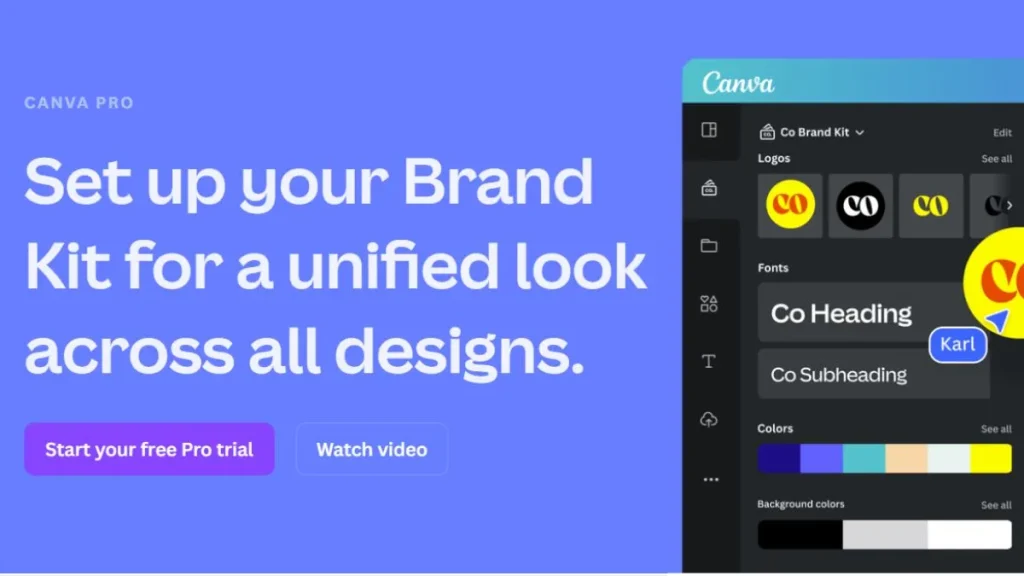
For businesses or anyone who needs to maintain brand consistency, the Brand Kit is one of the most important features—and it’s also one of the biggest differences between Canva Free and Canva Pro. With the free version, your options are very limited. You can use basic fonts and preset color palettes, but you can’t upload custom fonts or save a complete set of brand elements.
In contrast, Canva Pro gives you the ability to build a fully customized Brand Kit that includes your company logo, brand colors, and brand fonts. Even better, you can create and store multiple Brand Kits—especially useful if you design for different clients or manage multiple brands. Whenever you start a new project, you can instantly apply your Brand Kit so that colors, fonts, and logos stay consistent across all designs.
Another powerful feature unlocked in Canva Pro is the option to upload your own custom fonts. If your brand uses a unique typeface, you can easily upload and use it in your Canva projects, something Canva Free doesn’t allow. This ensures that all of your designs align perfectly with your brand identity, making them look polished and professional.
In short, when it comes to building and maintaining brand identity, Canva Pro clearly stands out. It offers advanced tools for consistency and customization that Canva Free simply can’t match—making it the better choice for businesses, marketers, and freelancers who care about branding.
Generous Cloud Storage
The last but equally important difference between Canva Free and Canva Pro is cloud storage and the ability to organize and share designs. With Canva Free, each account comes with only 5GB of cloud storage for all your designs and uploads. Free users are also limited to creating just two folders to organize projects. This might be enough for beginners or occasional use, but it quickly becomes restrictive if you design regularly.
Canva Pro, on the other hand, gives you a massive upgrade with 100GB of cloud storage—20 times more than the free plan. This means you can store large amounts of photos, videos, and design projects without worrying about running out of space. Pro users also get unlimited folders, making it much easier to organize designs by topic, client, or campaign. For anyone managing multiple projects, this flexibility is a big advantage.
When it comes to sharing and collaboration, both Free and Pro users can invite others to edit or view designs. However, Canva Pro takes teamwork to the next level with advanced features like direct commenting on designs and the ability to turn designs into reusable templates for team members. These tools are especially valuable for marketing teams, design agencies, or classrooms that need efficient collaboration and consistent output.
In short, if storage space, organization, and professional collaboration are important to you, Canva Pro clearly has the edge over Canva Free.
Team Collaboration Tools
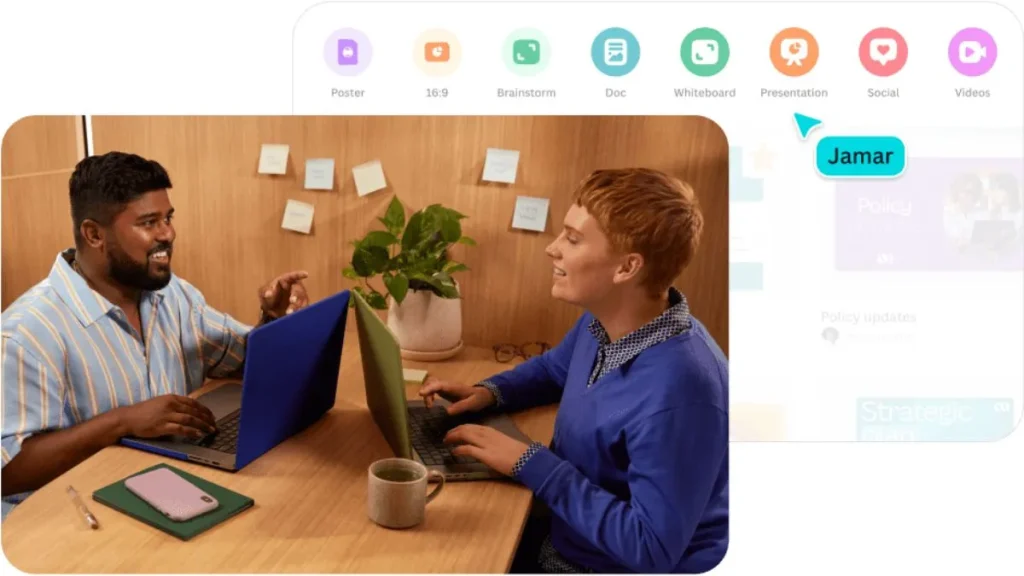
If you work with a group, Canva Pro’s team features make collaboration simple. You can invite team members to co-design, edit, and share assets all within one workspace. This makes it easy to stay organized, boost productivity, and maintain consistency across team projects. For businesses, agencies, or even school projects, these features can be a huge time-saver.
Who Should Use Canva Pro?
Even though Canva Pro isn’t exactly cheap, many people are still willing to pay for it because of the valuable features it unlocks. If you’re wondering whether you fall into the group that should invest in Canva Pro, here are the types of users who will benefit most.
Marketers and Content Creators
For anyone working in marketing or communications, Canva Pro is a fantastic tool. It allows you to quickly create high-quality social media posts, professional posters, and eye-catching ad materials using its massive content library and advanced editing tools. The team collaboration feature is especially helpful, making it easier to share and edit designs in real time, saving both time and effort.
Freelance Designers
Canva Pro is also a great choice for freelance designers who need a powerful yet easy-to-use tool. Features like background remover and animation effects let you create polished, creative designs without spending hours on complicated software. The Pro plan also helps you deliver professional results while keeping your personal creative style intact, making it easier to stand out in a competitive market.

Teachers and Students
Educators and students can take advantage of Canva Pro to create engaging lesson plans, class materials, and visually appealing presentations. With thousands of templates to choose from, you can quickly build study guides, infographics, or slides that are both attractive and easy to understand. Plus, Pro’s storage and sharing options make it simple to collaborate on assignments and keep learning resources organized.
Anyone Who Wants Professional-Quality Designs
Finally, Canva Pro is perfect for anyone who wants to produce professional-looking designs without a huge budget. With its advanced customization options, diverse templates, and large content library, you can easily create stunning graphics for personal projects, business needs, or creative portfolios. It’s an affordable way to access tools that make your designs look polished and consistent.
How to Save Money on Canva Pro
The cost of Canva Pro is often the biggest factor that influences whether people decide to upgrade. If you’re considering Canva Pro but want to cut down on expenses, here are some smart ways to save money.
Choose the Annual Plan
Paying for Canva Pro annually is one of the most effective ways to save. Instead of paying month-to-month, the yearly plan gives you a discounted rate, which means you’ll spend less in the long run. If you know you’ll be using Canva regularly, this option is definitely worth it because it saves you both money and the hassle of renewing every month.
Look Out for Promotions and Discounts
Another great way to reduce costs is by taking advantage of Canva promotions or seasonal discounts. These offers don’t happen all the time, but when they do, you can save a good chunk compared to the standard pricing. Keep an eye out for special deals and grab them quickly when they appear.
Join a Team Plan
If you have friends, colleagues, or classmates who also want to use Canva Pro, joining a team plan can significantly lower the cost per person. When the subscription fee is split among multiple users, it becomes much more affordable than paying for an individual plan. Just make sure you’re joining a trusted group to avoid scams or issues with Canva’s terms of service.
What is Canva Education?
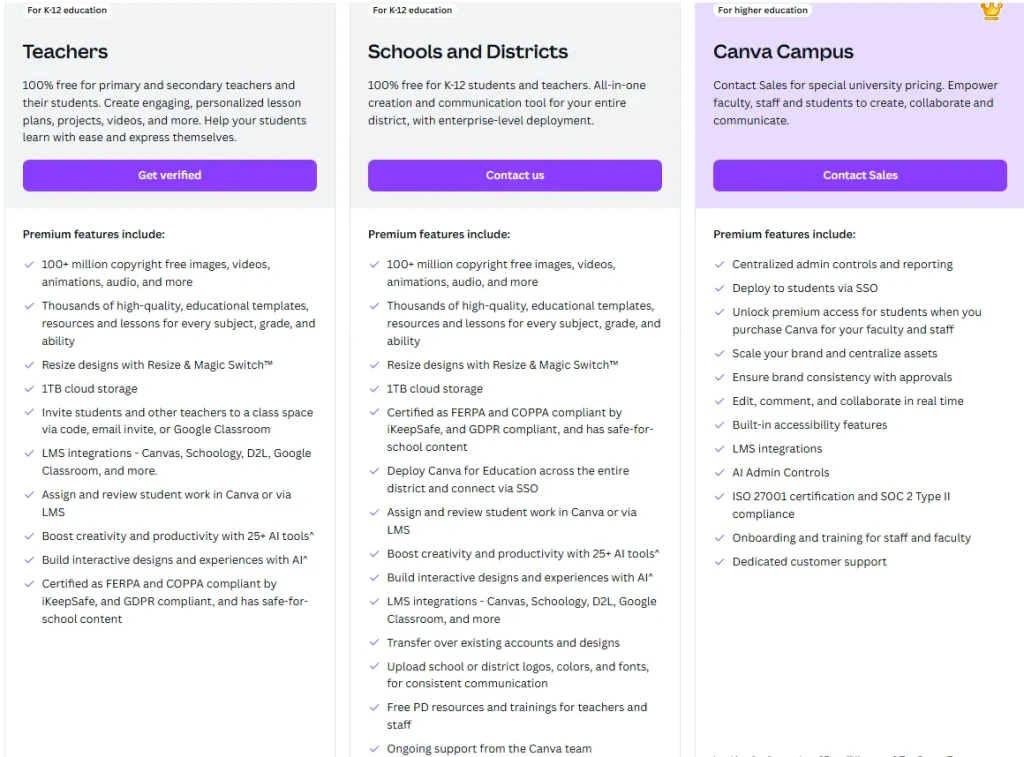
Canva Edu is a free version of Canva designed specifically for teachers and students. It’s optimized for educational purposes, making it easier to create learning materials, classroom resources, and creative projects. With its simple yet effective tools, both teachers and students can quickly design worksheets, presentations, posters, and other engaging content to support teaching and learning.
Canva Pro vs Canva Edu: A Detailed Feature Comparison
When comparing Canva Pro and Canva Edu, there are clear differences in terms of tools, resources, and overall use cases. Below is a detailed breakdown to help you decide which version best fits your needs.
| Criteria | Canva Pro | Canva Edu |
|---|---|---|
| Resource Library | Access to an enormous library of premium photos, videos, audio, icons, and graphics | Large content library but less extensive than Canva Pro due to restrictions |
| Design Tools | Advanced features such as background remover, video editing, Magic Resize, and custom color palettes | Basic, easy-to-use tools tailored for teachers and students |
| Collaboration | Team collaboration with advanced sharing, commenting, and workflow features | Classroom collaboration tools, allowing teachers and students to share and co-create learning materials |
| Export & Download | Multiple file types and advanced options: transparent PNG, PDF, SVG, GIF, and more | Standard export options, but with fewer customization and quality settings compared to Pro |
| Education-Specific Features | No education-focused integrations | Direct integration with platforms like Google Classroom, Microsoft Teams, Blackboard, and more, making it ideal for schools |
Key Takeaway: Canva Pro is built for professionals, marketers, and businesses who need advanced features and premium content. Canva Edu, on the other hand, is specifically designed for classrooms, giving teachers and students free access to powerful tools but with a focus on education-friendly integrations rather than premium assets.
Canva Edu Pricing
Canva Edu is different from Pro in terms of pricing, as it’s completely free for teachers and students with eligible accounts. This makes it a great choice for schools and educational organizations that want to use design software without paying any fees.
Final Thoughts
Above, I’ve introduced Canva Pro, Canva Edu, the differences between the Free plan and Canva Pro, as well as the standout benefits of upgrading to Canva Pro. Whether you decide to upgrade or not depends on your actual needs.