Runway AI stands as one of the leading artificial intelligence tools designed to transform creative ideas into reality. This comprehensive guide explores its standout features and provides step-by-step instructions for downloading and using Runway AI effectively.

Runway AI Overview
Runway AI is an artificial intelligence toolkit developed by a New York-based startup called Runway, which also created Stable Diffusion and has received backing from Google. The platform offers two primary capabilities: transforming videos into AI-enhanced videos through its website and mobile app (Gen-1), and converting text and images into videos (Gen-2). These two versions combine to form what’s known as Runway AI or Runway ML.
Beyond these core functions, Runway provides several AI-powered artistic tools on its website that offer impressive features for easy and convenient use.
Key Features of Runway AI
Text-to-Video Conversion
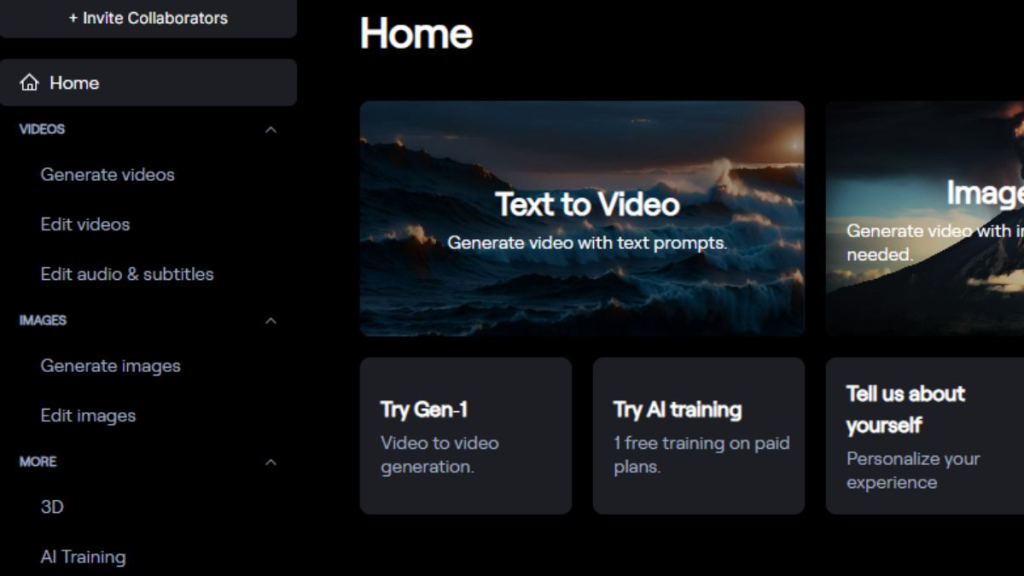
One of Runway AI’s most prominent features is its ability to transform text into video. Users can easily create videos simply by entering text descriptions. Just input a simple description of your desired video, and the AI will quickly generate it for you, saving significant time on video design and editing.
Video-to-Video Transformation
Runway AI can also transform existing videos by applying various styles using images and text prompts. Its user-friendly interface allows creators to produce diverse video styles, from classic to modern or futuristic, streamlining the video editing process while supporting a wide range of video concepts.
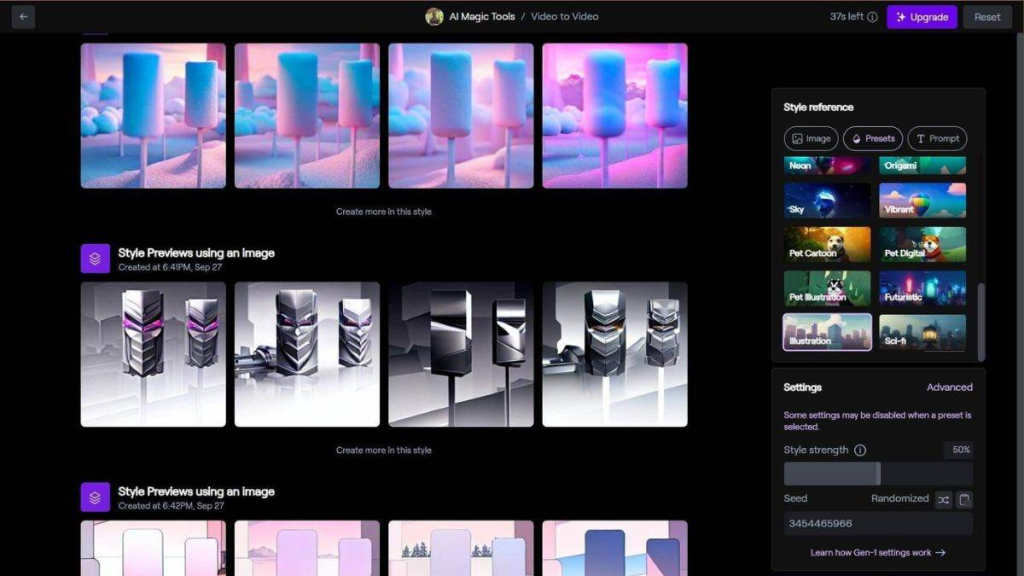
Image Generation
The platform includes an AI image generation tool that helps transform and create impressive works from existing images. This eliminates the need for complex design software or advanced technical skills to produce beautiful images, significantly saving time and improving productivity.
Object Removal from Videos
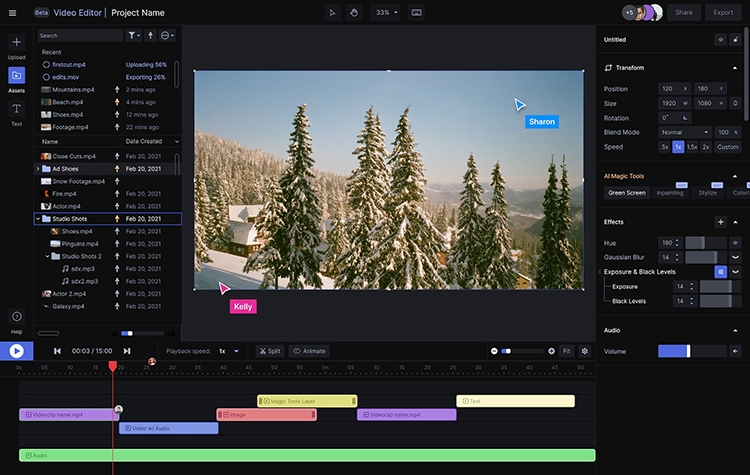
With Runway AI, you can easily eliminate unwanted objects from videos with a single click. This feature proves particularly useful since real-world video shooting, especially outdoors, often includes unwanted elements in the frame. Re-shooting may be time-consuming or even impossible, making Runway AI’s quick removal capability extremely valuable.
Adding Slow Motion to Videos
Runway AI’s slow-motion feature is particularly noteworthy. The tool creates new frames to transform low-frame-rate videos into smoother slow-motion sequences, making your videos more impressive and highlighting detailed moments.
Available Versions of Runway AI
Runway AI currently offers two versions: Gen-1 (free) and Gen-2 (paid):
Gen-1 primarily enhances existing videos by applying AI effects to improve them. Therefore, to use Gen-1, you need an original video that the tool can edit and enhance.
Conversely, Gen-2 doesn’t require pre-existing video content. It can generate completely new videos from images or text descriptions. As this is a more advanced feature, you’ll need to pay to use Gen-2. This version accepts images and text to create videos according to your desired content.
How to Download Runway AI on iPhone and iPad
Runway AI can be accessed through its web platform or on iOS mobile devices. While you can access Runway AI on computers or phones via the website, follow these steps to use it on an iPhone:
Step 1: Open the App Store on your iPhone and search for “RunwayML” in the search box.
Step 2: When the RunwayML app appears, tap the “Get” button to download it.
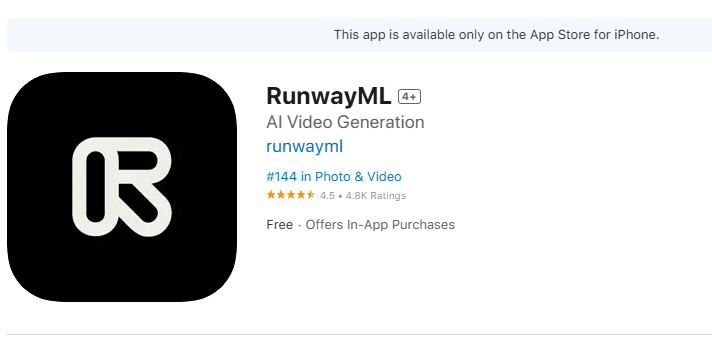
Step 3: Once the app is downloaded and installed, tap “Open” to launch it and begin setting up your Runway AI account.
How to Use Runway AI
If you only need to create basic videos from existing footage, the free Gen-1 version is your best option. Initially, you might want to register for this free version to familiarize yourself with the features before upgrading to the paid Gen-2 version if you need additional functionality.
Here’s a guide to using Runway AI for creating AI-powered images or videos:
Step 1: Open the app and log into your account. From the main interface, select the AI Magic tool you want to use.
Step 2: If using Runway Gen-1, upload your source video and select the reference style you want to apply.
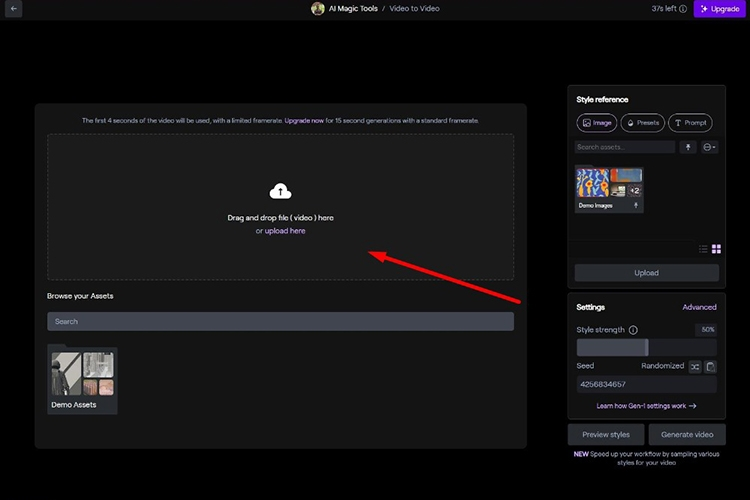
If using Gen-2 or the text-to-image feature, enter a description of the video or image you want to create.
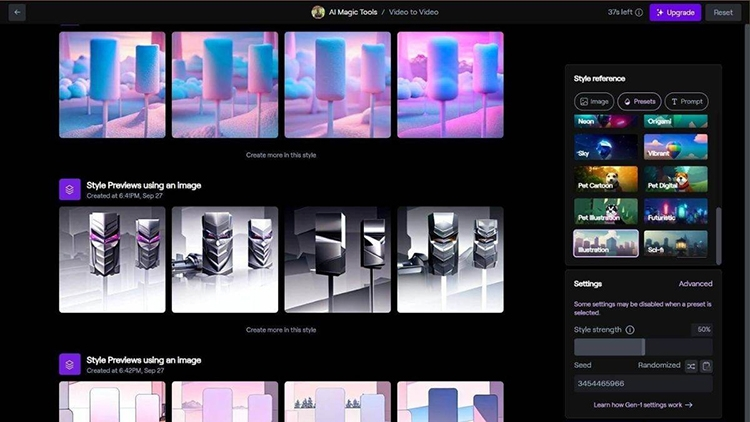
Step 3: Adjust parameters such as Motion, Seed, and Interpolate according to your needs. Then, click the Preview button to see a preview of your video or image. If you’re not satisfied with the results, you can make additional adjustments.
When you’re happy with the results, click the Generate video button to start the video creation process. The system will process your request and begin processing. While waiting, you’ll see a circle displaying the percentage progress on the Runway AI interface.
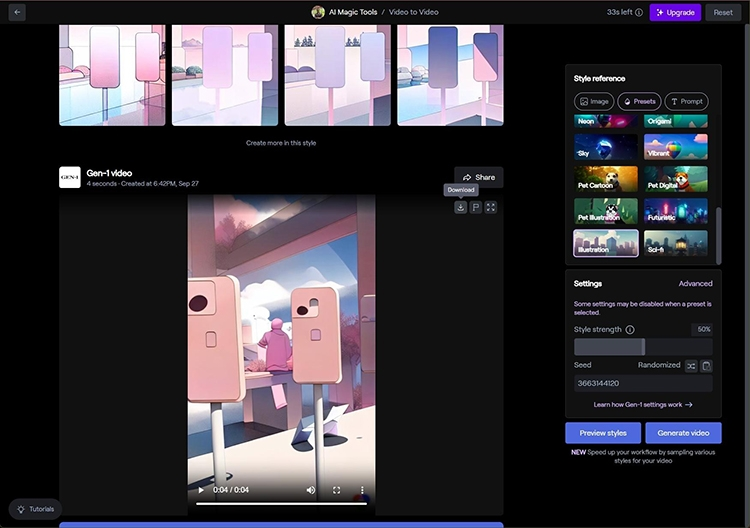
Step 4: When the content creation process is complete, you can download the video or image to your device. You can save the content directly to your iPhone’s photo library and share it through other platforms if needed.
Advantages of RunwayML
RunwayML offers several notable advantages that position it as a direct competitor to OpenAI’s popular video creation tool, Sora:
- Cloud storage capability: Enables efficient processing of large-scale video projects, reducing dependence on personal hardware.
- Rich resource library: Enormous repository of available videos, images, and music, making your creative process easier.
- Team collaboration support: Allows multiple people to participate in a project, convenient for group work.
- Integration with other platforms: RunwayML can be used in combination with other editing and design software for easy video creation and editing.
- Real-time video performance monitoring: Users can monitor video performance directly on the platform, making data-driven content optimization decisions.
- Multiple export formats: Easy video export in various formats suitable for different platforms like YouTube, Instagram, and Facebook.
Limitations of RunwayML
- Relatively expensive: RunwayML’s paid plans range from $12 to $95 USD depending on the package. This makes it less suitable for those needing to create large volumes of content on a tight budget.
- Internet connection required: You cannot use RunwayML without internet access.
- Hardware-intensive: Requires a powerful computer to handle AI tasks and advanced video editing.
- Privacy risks: Processing sensitive data on a cloud platform may pose security risks, potentially compromising user content.
- Advanced features have a learning curve: Despite its user-friendly interface, advanced features may overwhelm those new to video editing and AI tools.
- Generic output quality: AI-generated content may lack creativity and personal touch, resulting in less distinctive products.
Conclusion
Hopefully, this information has helped you understand Runway AI, from its standout features to downloading and using the tool. This AI-powered image and video creation tool offers an easy-to-use interface that helps save time and costs compared to shooting real videos. Take advantage of the benefits Runway AI provides to enhance your creative projects.