Manus AI is a powerful artificial intelligence tool designed to assist users across a wide range of tasks, from content creation and data analysis to workflow optimization. Thanks to its advanced natural language processing and machine learning capabilities, Manus AI helps save time, boosts productivity, and improves content quality. In this guide, MiniToolAI Blog walks you through everything you need to know about using Manus AI—from signing up for an account to maximizing its powerful features.
What Is Manus AI and How Does It Work?
Manus AI goes beyond being just another chatbot or workflow assistant. It bridges the gap between ideas and execution. While many AI tools like GPT-4o focus mainly on content generation, Q&A, or creative assistance, Manus AI takes things further—it can autonomously manage and complete entire workflows, running independently in the cloud. Simply assign a task, shut down your device, and Manus AI will notify you once everything is done.
At its core, Manus AI combines large language models (LLMs) like Claude 3.5 Sonnet (Anthropic) and Qwen (Alibaba) with a suite of 29 specialized tools for web browsing, API calling, script execution, and more.
The system operates using a multi-agent architecture. A main agent oversees the task, plans the workflow, and delegates responsibilities to secondary agents, automating complex processes with minimal human involvement.
Users simply input their requests, and Manus AI handles them on cloud-based virtual machines. In the future, you’ll be able to assign tasks before bed and wake up to see them completed and ready for use.
Key Features of Manus AI
Manus AI isn’t just fast—it’s smart, autonomous, and adaptable, making it an ideal tool for professionals across multiple industries. Here are its standout features:

- Automated Task Management: Manus AI can independently handle complex tasks like report writing, spreadsheet creation, and data analysis—even when your device is offline.
- Multimodal Support: It goes beyond text processing, capable of generating images, writing code, and managing various types of data, expanding its real-world applications.
- Advanced Tool Integration: Manus AI connects seamlessly with web browsers, code editors, and databases, enabling real-time data retrieval and workflow automation.
- Learning and Adaptability: Over time, Manus AI learns your working habits, refining its processes and delivering more accurate, personalized results.
Thanks to these capabilities, Manus AI not only saves time but also enhances the quality of your work, providing a smarter, more efficient working experience.
Pros and Cons of Manus AI
Like any technology, Manus AI has its strengths and limitations. Here’s a quick overview:
Pros
- Full Workflow Automation: Capable of completing complex tasks without constant supervision.
- Cloud-Based Operation: Runs independently on the cloud, freeing you from needing to keep your device active.
- Multimodal Functionality: Works with text, images, code, and various data types.
- Tool Integrations: Connects with browsers, databases, and third-party software to streamline workflows.
- Continuous Improvement: Learns user behaviors over time to optimize performance and accuracy.
Cons
- Learning Curve: New users may need time to get familiar with its setup and features.
- Limitations in Creative Scenarios: May struggle with tasks requiring deep creativity or flexible human reasoning.
- Internet Dependency: Requires a stable internet connection to function properly.
- Potential Costs: Accessing full features may involve premium subscription fees.
Overall, Manus AI is a fantastic choice for users looking to automate complex workflows, but it’s important to assess your needs and readiness to embrace AI technology.
How to Sign Up for Manus AI
Currently, Manus AI is in its beta phase and access is available by invitation only. Here’s how to apply:
- Visit the official Manus AI website at https://manus.im/ and click “Get Started” at the top-right corner.
- Sign up with Google or Apple for quick access, or fill out the form to sign up for Manus AI.

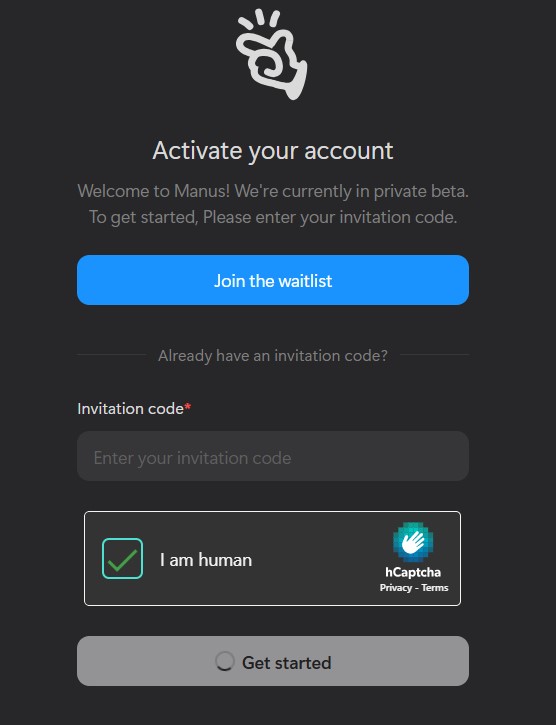
- If you don’t have the invitation code yet, click ‘Join the waitlist’ and fill out the form.

- In the “What Use Case Would You Like Manus to Execute for You?” section, paste one of the following suggested responses, then click “Submit request”:
- “We plan to use Manus to automate our customer service chatbot and reduce response times for common inquiries.”
- “We will integrate Manus for sentiment analysis on social media to better understand and respond to customer feedback.”
- “Our goal is to employ Manus to develop smart chatbots that can handle internal help desk requests across multiple departments.”
- “We intend to leverage Manus’s NLP capabilities to analyze user feedback and guide future product improvements.”
- “We’re looking to create a multilingual chatbot with Manus to support our international customers more effectively.”
- Keep an eye on your email inbox or follow Manus AI’s official accounts on Twitter and LinkedIn for updates. Approval usually takes about a week.
- Once you receive your invitation code, revisit the Manus AI site, input your code in the “Invitation code” field, and click “Get Started” to complete your registration.
Important: Beware of unofficial codes or third-party sellers offering access. Manus AI only issues valid invitation codes through their official communication channels.
Quick Start Guide: Using Manus AI
Once you’ve activated your account, getting started with Manus AI is simple:

- Log in to the Manus AI platform.
- Enter your command or task description into the input field. Manus AI will automatically plan and execute the task.
- Manus AI processes tasks in the cloud. You can monitor progress or simply wait for a completion notification.
- View or download your results directly from the interface. If needed, you can refine and resubmit tasks for further processing.
That’s it—you’re ready to automate your workflows effortlessly with Manus AI!
How Manus AI Stands Out Compared to Other AI Tools
While many AI tools today focus on automation and task management, few offer the full end-to-end autonomy Manus AI provides. To better understand what makes Manus unique, here’s a comparison with another emerging platform, DeepSeek AI:
| Criteria | Manus AI | DeepSeek AI |
|---|---|---|
| Core Models | Claude 3.5 Sonnet, Qwen + 29 specialized tools | DeepSeek-VL and DeepSeek-Coder (optimized for NLP and coding) |
| Automation Capability | Fully autonomous, cloud-based end-to-end task completion | Primarily content creation and coding, needs user interaction |
| Tool Integration | Extensive (web browsing, API calls, scripting, etc.) | Focused on text and code processing, limited automation |
| System Architecture | Multi-agent system with task coordination | Traditional LLM operation, no multi-agent system |
| Practical Applications | Business process automation, end-to-end task management | Best suited for NLP research, content creation, and coding tasks |
Conclusion
Manus AI isn’t just another AI tool—it’s a comprehensive automation solution that can dramatically enhance your workflow and save valuable time. If you’re looking for an intelligent, independent AI platform to boost your productivity, Manus AI is definitely worth exploring. Don’t miss the opportunity to experience the future of work automation today!